Head to head
Uplift V3 vs Flexispot E7 Pro: Which Standing Desk Wins?
By Nora Brandt · Senior writer
Last updated · Published
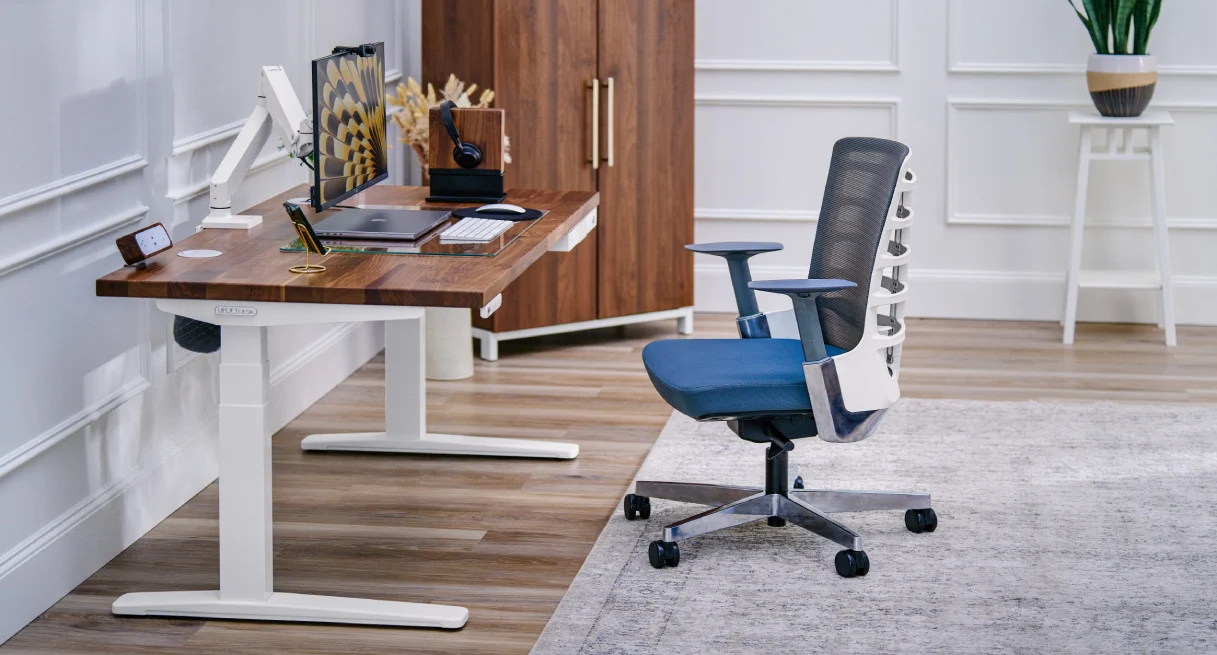
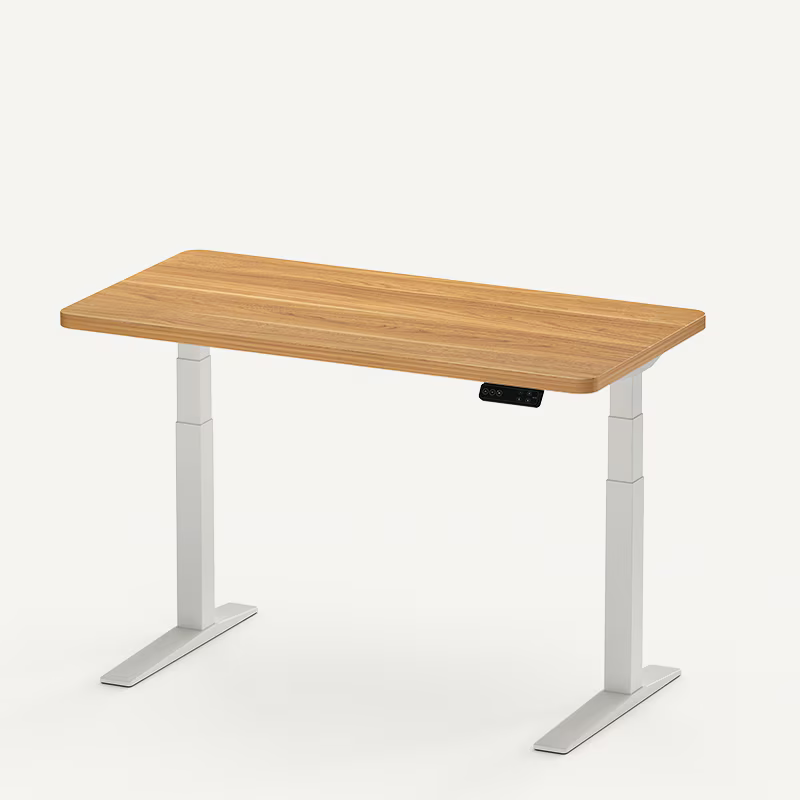
| Spec | Top pickUplift V3 Standing Desk | Flexispot E7 Pro |
|---|---|---|
| Editor score | 9.4/10 | 9.0/10 |
| Price | from $599 | from $479 |
| Height range | 22.6"–48.7" (3-stage legs) | 24.4"–50.6" |
| Weight capacity | 355 lb | 440 lb |
| Warranty | 15 yr | 15 yr |
The short answer
Buy the Uplift V3 if your budget reaches $600 and you want the most refined package: the steadiest frame at full height, the deepest catalog of desktops and accessories, near-instant assembly, and a 15-year warranty. Buy the Flexispot E7 Pro if you want roughly 90% of that experience for about $120 less, with the same 15-year warranty and an even higher 440 lb weight capacity.
This is the closest matchup we cover, and it is close because both desks get the fundamentals right. Neither is a compromise pick. The decision comes down to whether Uplift’s refinements are worth the premium for your particular setup, so here is each dimension in turn.
Stability
Both desks are dual-motor, three-stage designs, which is the correct starting point; three-stage legs keep more tube overlap at any given height and are the main reason neither desk exhibits the top-of-range looseness that plagues budget frames. From there the desks take different routes to steadiness.
The Uplift V3’s route is structural. The 2025 redesign added a reinforced frame and a stability plate specifically to cut lateral sway, and the independent coverage since launch, from outlets like TechRadar, Tom’s Guide, and Wirecutter, consistently describes the result as rock solid at standing height, with only slight front-to-back motion detectable at maximum extension. Owner reviews echo it; steadiness under loaded dual-monitor arms is among the most repeated compliments across the V3’s 4.8-star, 21,000-plus review base.
The E7 Pro’s route is mass. Its leg columns are thicker than most desks near its price, and its 440 lb rating, the highest here by a wide margin, means typical setups use a small fraction of the frame’s strength. Owner reviews land on phrases like “solid as a rock,” and the desk’s reputation for stability per dollar is well earned.
Put side by side at full height, the Uplift keeps a small edge, and it is genuinely small. If stability were the only criterion, most people could not justify the price gap on it alone.
Winner: Uplift V3, narrowly.
Height range
The numbers differ more than you would expect. The Uplift V3 runs 22.6 to 48.7 inches; the E7 Pro runs 24.4 to 50.6 inches. The Flexispot reaches almost 2 inches higher, which matters if you are 6’3“ or taller. The Uplift sits almost 2 inches lower, which matters for shorter users and for anyone who wants proper seated elbow height without a keyboard tray.
So the winner depends on your body. Tall users should lean Flexispot; shorter users should lean Uplift. If you have never measured your ideal heights, do it before choosing, using our ergonomic setup guide; this single spec eliminates one desk for some buyers.
Winner: tie, decided by your height.
Desktop options
No contest here. Uplift’s desktops run 42 to 80 inches wide in multiple depths and materials, from laminate through bamboo and rubberwood to solid hardwoods, and the accessory catalog behind them covers drawers, trays, hooks, CPU holders, and more. Flexispot offers 48 to 63 inch widths in a modest set of laminate finishes that are serviceable and plain.
If your desk sits in a visible part of your home, or your space demands an unusual size, Uplift wins outright. If a clean 55-inch laminate top is all you need, the E7 Pro covers it and the gap costs you nothing.
Winner: Uplift V3.
Motor and noise
The Uplift’s dual motors travel at about 2 inches per second, roughly a third faster than its predecessor, at around 48 dB. The E7 Pro’s dual motors are rated around 50 dB, marginally louder and slightly slower in practice. Both are quiet enough to adjust mid-call, both offer memory presets, and both lift smoothly. Owner reviews of each desk single out the smoothness of the travel, so treat this dimension as a wash with a slight Uplift edge on speed.
Winner: Uplift V3, by a hair.
Assembly and setup
The V3’s 2025 redesign halved the screw count from 32 to 16, and Uplift claims about five minutes from box to standing desk. Owner reviews treat that claim more kindly than most marketing numbers; quick, frustration-free setup is one of the most repeated compliments in early V3 feedback, which is remarkable in a category where assembly gripes are usually the loudest complaint thread. The E7 Pro is a conventional build. Nothing about it is tricky, but plan on 45 to 90 minutes, and recruit a second person for the flip upright, because the frame’s reassuring heft cuts both ways. If you assemble a desk once and use it for a decade, this difference amortizes to nothing; it is still the most pleasant hour the Uplift saves you.
Winner: Uplift V3.
Warranty and support
Both desks carry 15-year warranties covering frame, motors, and mechanisms, and 15 years is the best figure in the category. Uplift’s is styled all-inclusive; Flexispot’s covers the frame, motor, and mechanisms. Both companies have reasonable track records on replacement parts. On paper and in practice this is even, and it is worth pausing on how unusual that is: the E7 Pro matches the flagship warranty at a mid-range price, where most rivals, including the far pricier Fully Jarvis at 7 years, fall short.
Winner: tie.
Price and value
The E7 Pro sells for around $479; a comparably configured Uplift V3 lands around $599 and climbs quickly as you pick nicer desktops from the configurator. The roughly $120 gap buys real things: finish choice, the accessory ecosystem, the 16-screw five-minute assembly against Flexispot’s conventional hour-plus build, and the included cable manager, which offsets the aftermarket tray most E7 Pro owners end up adding.
Whether those things are worth $120 is a preference call, but the value verdict is not: dollar for dollar the E7 Pro delivers more desk. That is why it holds our best-value award while the Uplift holds best overall.
Winner: Flexispot E7 Pro.
Who should buy which
Choose the Uplift V3 if:
- You want desktop materials beyond laminate, or a width outside 48 to 63 inches
- You are on the shorter side and need the lower 22.6-inch minimum height
- You value the five-minute assembly and included cable management
- You want maximum steadiness at full extension and the budget is there
Choose the Flexispot E7 Pro if:
- You want the strongest frame-and-warranty combination under $500
- You have a heavy setup; the 440 lb capacity leads this whole category
- You are tall and benefit from the higher 50.6-inch ceiling
- The desk lives in a workspace where looks are secondary
Bottom line
The honest summary is that you are choosing between two right answers. The Uplift V3 is the better desk; the Flexispot E7 Pro is the better deal; and both will still be under warranty in 2040. Our full reviews of the Uplift V3 and Flexispot E7 Pro go deeper on each, and if you want the bamboo-topped alternative in this bracket, see how each fares against it in our Uplift V3 vs Fully Jarvis and Flexispot E7 Pro vs Fully Jarvis comparisons. Still earlier in the decision? Start with the buying guide.